
Compliance and Authorization
AC AGENTAccess Control Assessment
Access Control from the identity system, not a questionnaire.
An AI agent assesses NIST SP 800-53 Access Control family requirements by querying a connected identity management platform for real account, role and entitlement state.
Actual state, not attestation
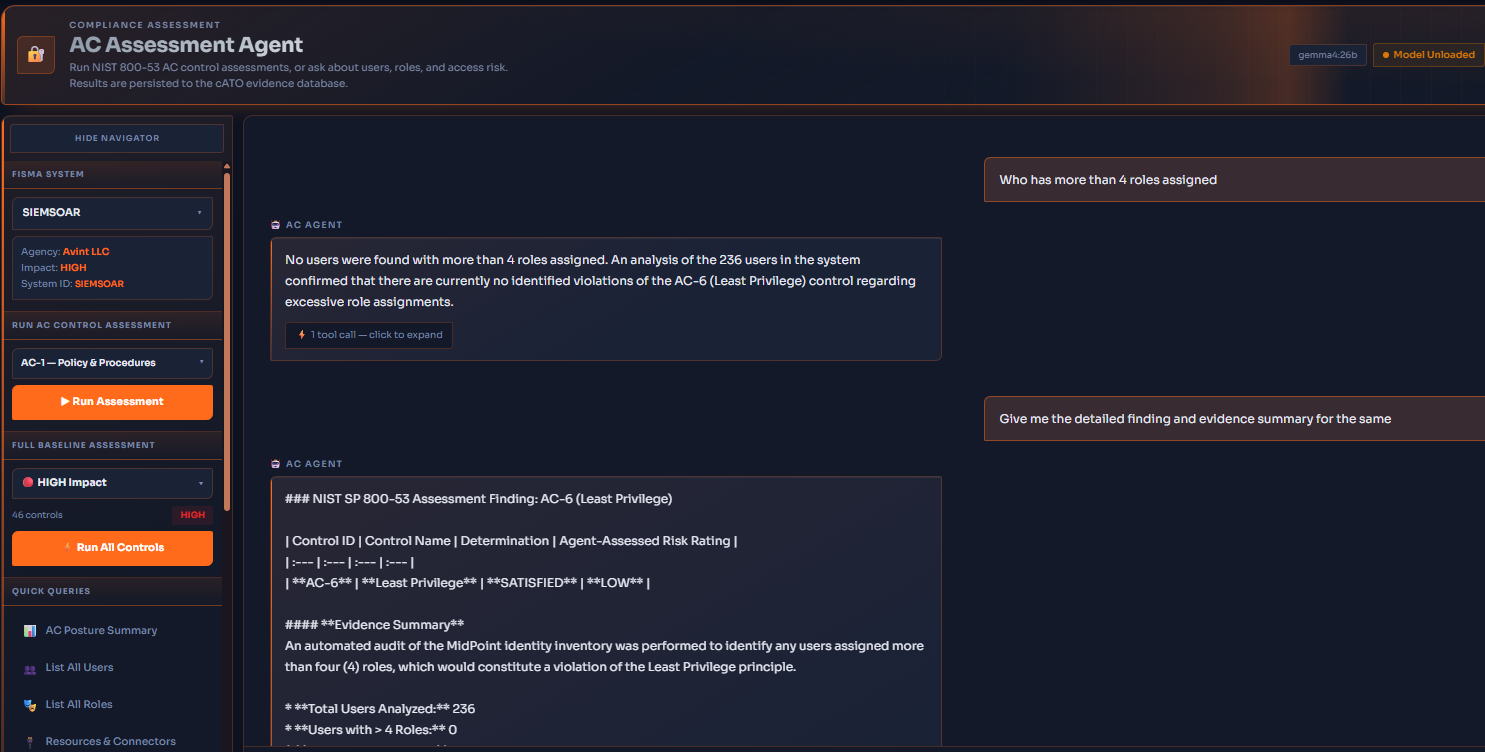
Controls in the AC family depend on who holds which accounts, roles and entitlements. The agent reads that state from the identity platform and produces a finding together with the evidence it reasoned from, rather than asking someone to attest to it.
How the agent is wired
One agent between your identity system and the whole AC family.
The agent sits on the AlloyGRC integration midpoint. Today the midpoint is connected to Active Directory. It is built so the same seat can take whatever identity or access management service you run, so AC evidence comes from where your accounts actually live, not from a form somebody filled in.
Identity sources
- Active Directory Connected today
- Microsoft Entra ID Through the midpoint
- Okta and other SSO Through the midpoint
- Any LDAP or SCIM directory Through the midpoint
AlloyGRC midpoint
AC Intelligence agent
Reads live account, role and entitlement state, reasons over it one control at a time, and writes a finding you can review.
- Who has too many roles
- Stale accounts
- Service account risk
- Full AC violation scan
NIST SP 800-53 Access Control family
- Assessed
- Partial
- Not yet run
- Not in baseline
Illustrative states. At HIGH impact the family is 46 controls and enhancements; the agent runs one, several, or the full baseline in a pass.
Into the ATO workflow
Every result is persisted to the cATO evidence store and attaches to the matching AC control in the ATO workflow. The AC family is evidenced while the rest of the package is still being written, which is where the time comes back.
Boost your efficiency
Your AC Evidence Upload & Assessment just got a lot faster.
The agent completely automates the AC control evaluation. Configured well, the agent would remove any need for manual evidence uploads by checking directly with the source. Just select your system, let the assessment run while you take a well-deserved break, and come back to find it all done for you, ready to import directly into your ATO workflow.
What you can do
-
Assess AC controls against live identity data instead of a point in time questionnaire
-
Review the agent's finding and the identity state it reasoned from
Straight answers
Seen in the app
The real thing, on synthetic data
Compliance and Authorization
Also in this area
Manage the RMF and authorization lifecycle
How it all fits togetherATO Workflow
ATOThe authorization lifecycle, phase by phase, with roles, approvals and evidence tracked throughout.
Continuous ATO Evidence Analyzer
cATOAI reads uploaded evidence against the control it is meant to satisfy. A human ratifies.
Avint ISSO Advisory Assistant
AVISSAAA local model advisor that answers what a control requires and what an assessor will expect.
BPMN Studio
BPMNSee and edit the BPMN 2.0 diagrams that drive AlloyGRC workflows.
Access Control Assessment has more to show than fits on this page yet. A full walkthrough with visuals is being written. Ask for a demo to see it running today.
See a control assessed from real state.
Ask for a demo and we will show the agent reasoning over a synthetic identity store.